Palette Generator
Choosing a colour palette is difficult. Much more difficult than you might expect, and it’s very easy to fall down a rabbit hole of looking at pretty colours.
There are many excellent websites with pre-defined colour palettes, tools to help you build your own palettes, and advice on choosing colours. Although (or perhaps because) there are so many great tools in existence, I found myself often switching between them and reformatting the output, or getting overwhelmed because they did too many things at once.
So I decided to build yet another colour palette tool! I needed something that
- fitted into my existing R, Python, and JavaScript workflows more easily without having a different solution for each language;
- still offered a visual representation of the colours, not just hex codes; and
- combined most of the tasks I do regularly into one place; and
- had a simple interface.
Palette Generator
The result was Palette Generator, which has different tabs to allow users to create random palettes, explore a selection of existing palettes, blend colours together, and obtain tints and shades of a colour.
Random
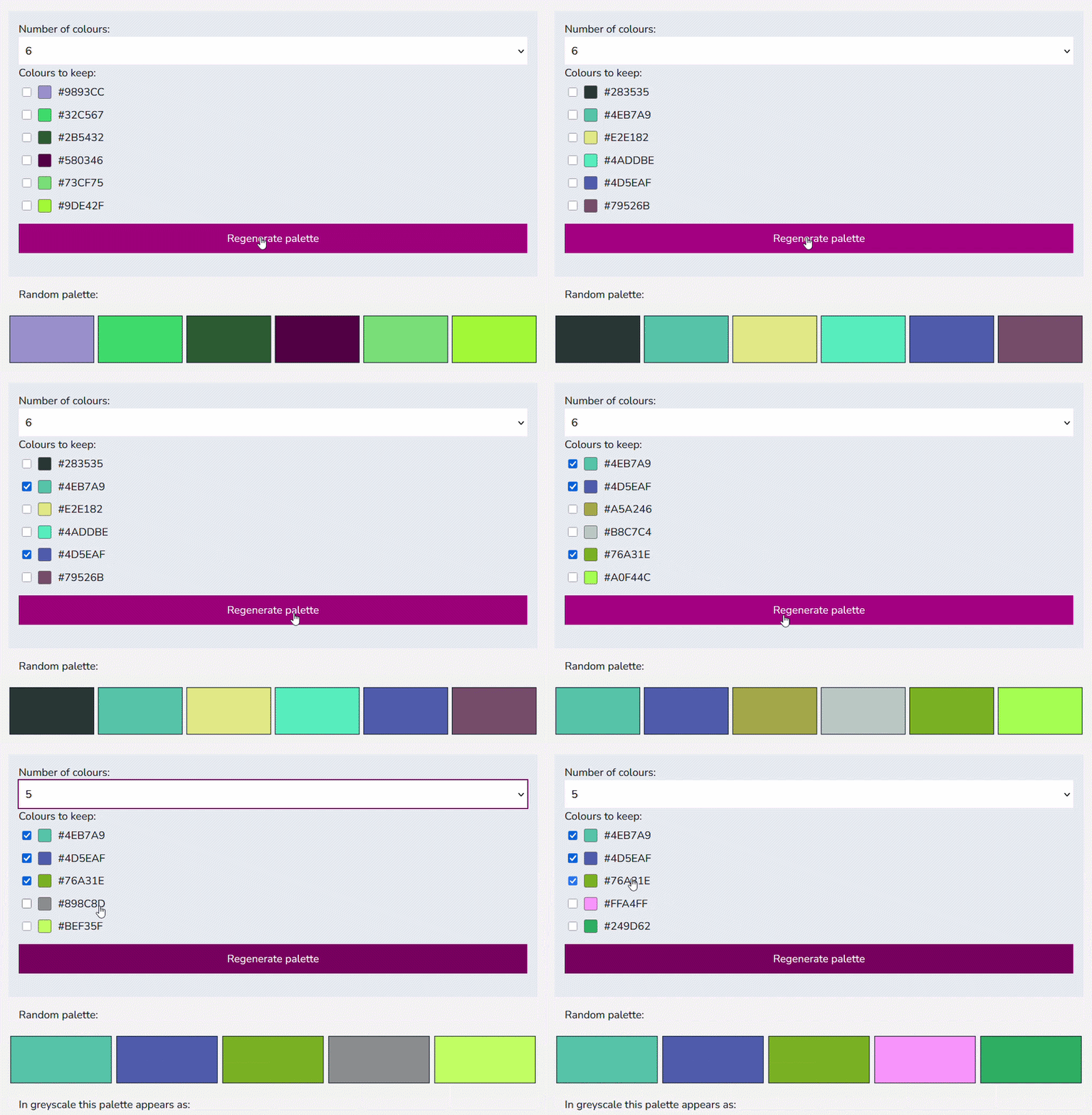
The Random tab generates completely random palettes, with between 1 and 12 colours. Users can choose a subset of the colours to retain on the next random iteration.
Explore
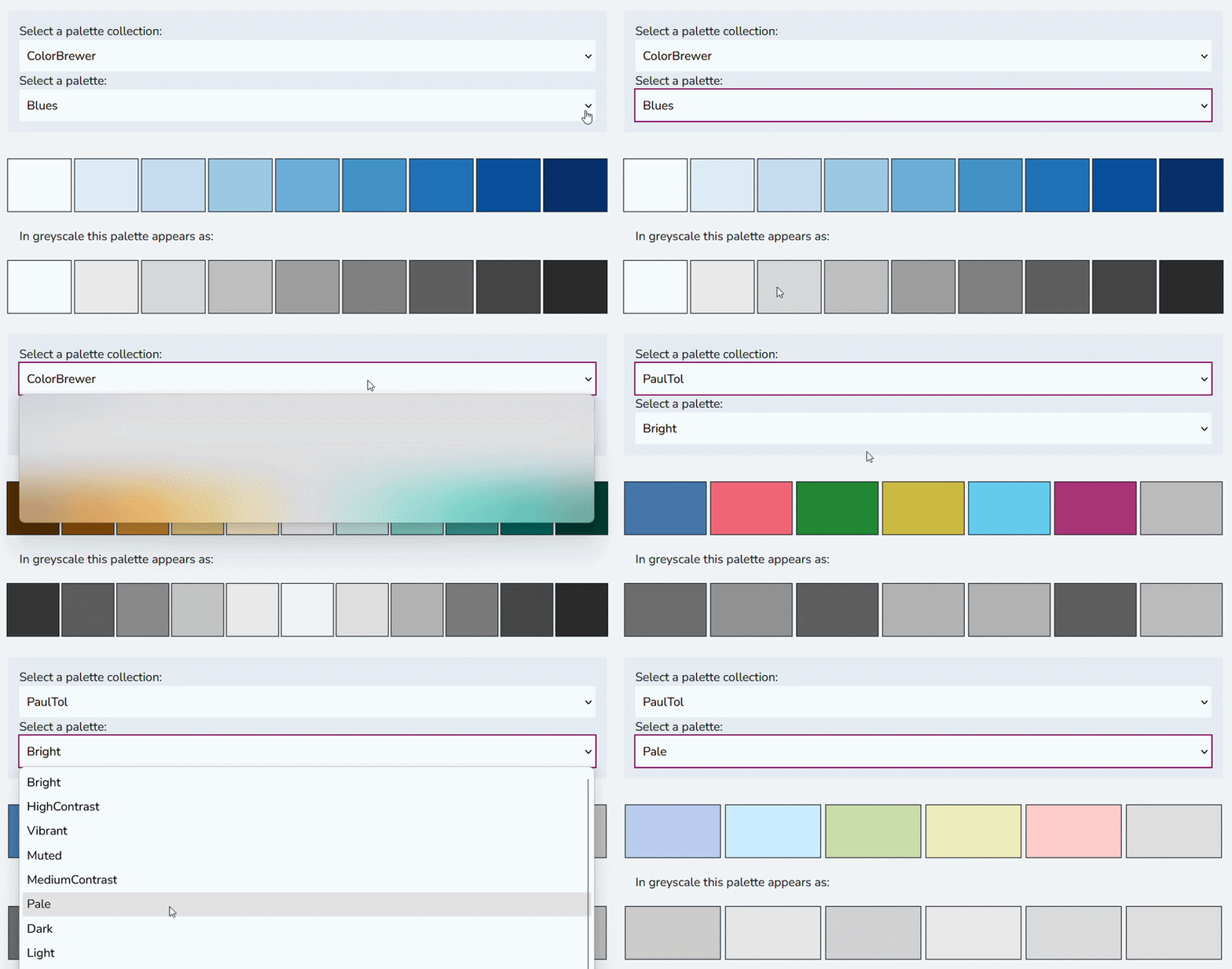
The Explore tab provides the functionality to explore and use different palettes from existing collections. This currently includes commonly used palettes from ColorBrewer and CARTOColors, as well as accessible options in Paul Tol’s palettes alongside other aesthetically pleasing palettes specifically designed for generative art.
These palettes, or individual colours from them, can be used as inputs in both the Blend and Tint tools described below.
Blend
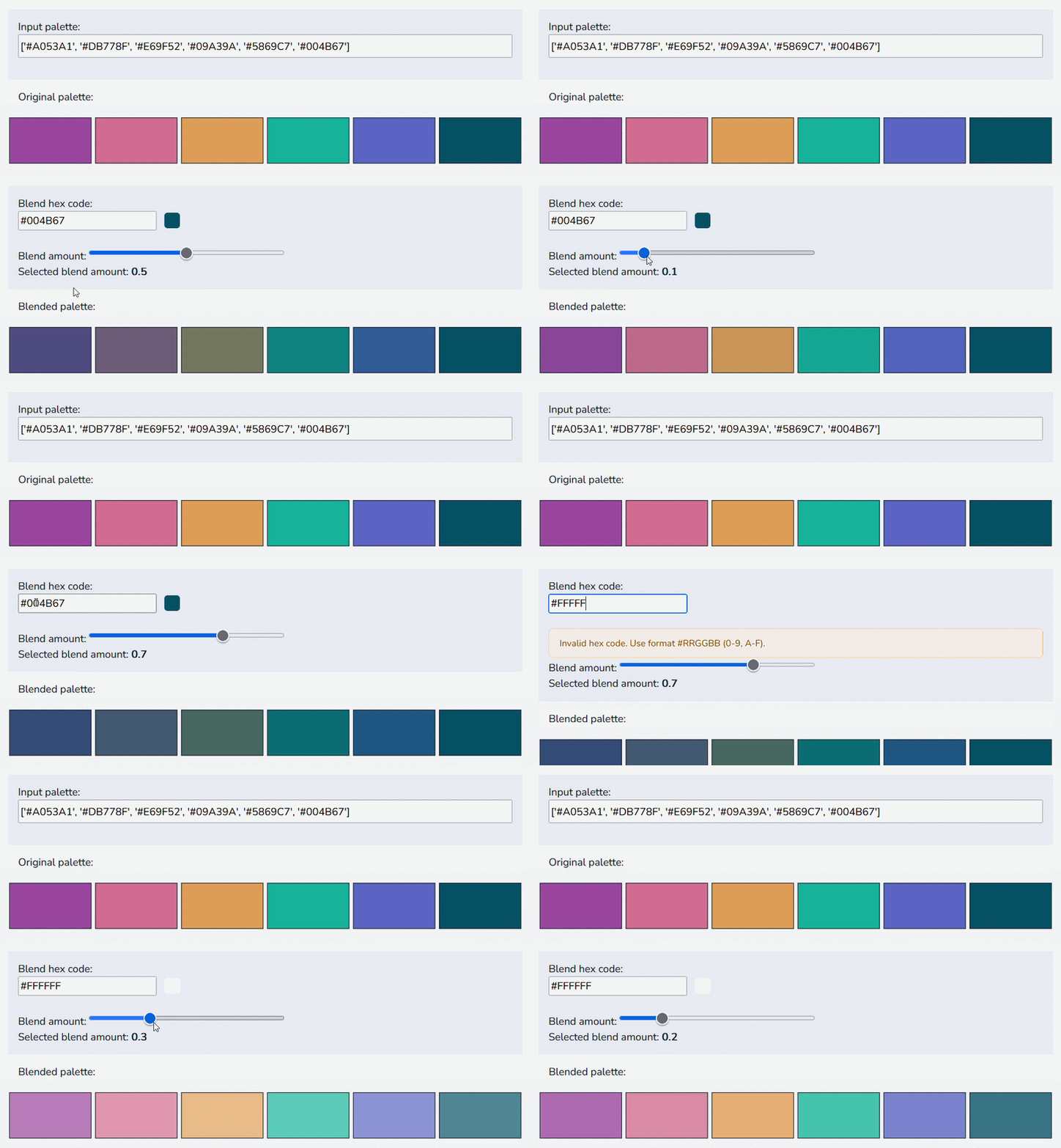
Blending in a small amount of a single colour to all of the other colours can make a palette feel more cohesive. The Blend tab allows users to specify a starting palette, the colour they’d like to blend in, and the amount they’d like to blend.
Naturally, this does reduce the contrast between colours and makes them more similar to each other so the resulting palettes may not work well for data visualisations. A small amount of blending colour is often best.
Tint
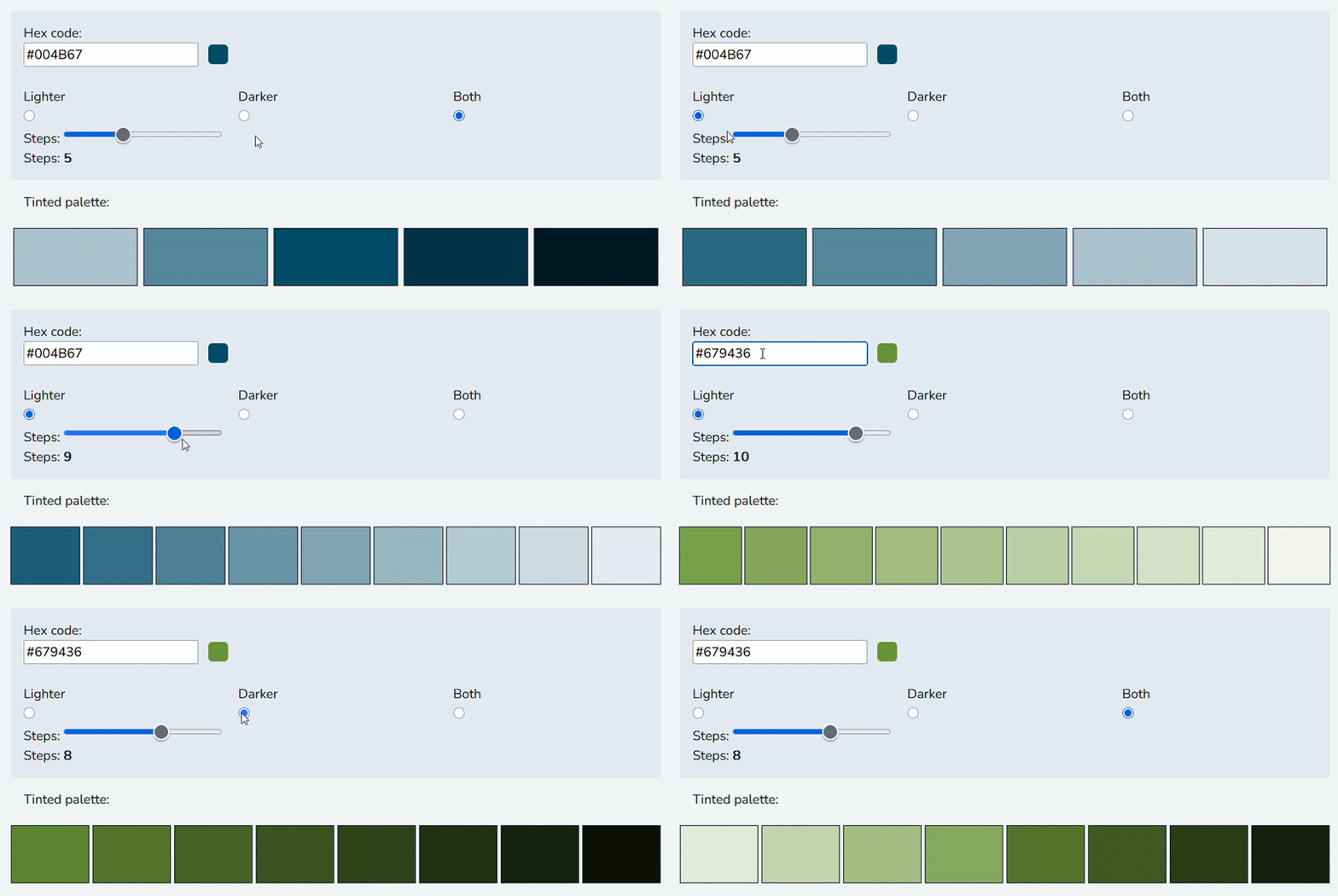
The Tint tab is used to lighten (tint) or darken (shade) a colour. This tool can be used to create sequential palettes based on a single input colour, which is useful for creating monochromatic designs in line with a brand colour. Users can select whether the colours go lighter, dark, or in both directions.
Features
This collection of tools has several features that are designed to make it easier to use.
Input validation
Most of the inputs are designed such that a user can choose from a range of valid pre-set options. Where use inputs are free text e.g. typing in a hex code, the inputs are validated to ensure they are in the correct format. If it’s not in the correct format, a warning is given to the user with information about how it should be formatted. For tools which require a hex code or existing palette as an input, these are also visualised by the tool so that users can sense-check their own inputs.
Accessibility
Given the nature of some of the palette generating tools, particularly blending (which makes colours more similar) and random generation, not all palettes will be accessible out of the box. For example, there may not be enough contrast between colours or they may appear indistinguishable to people who are colourblind.
Currently, each palette (except the tint tab which is monochromatic by nature) is also presented in greyscale, as a proxy for measuring colourblind-friendliness. If all colours in the palette are distinguishable in greyscale, they are more likely to be accessible.
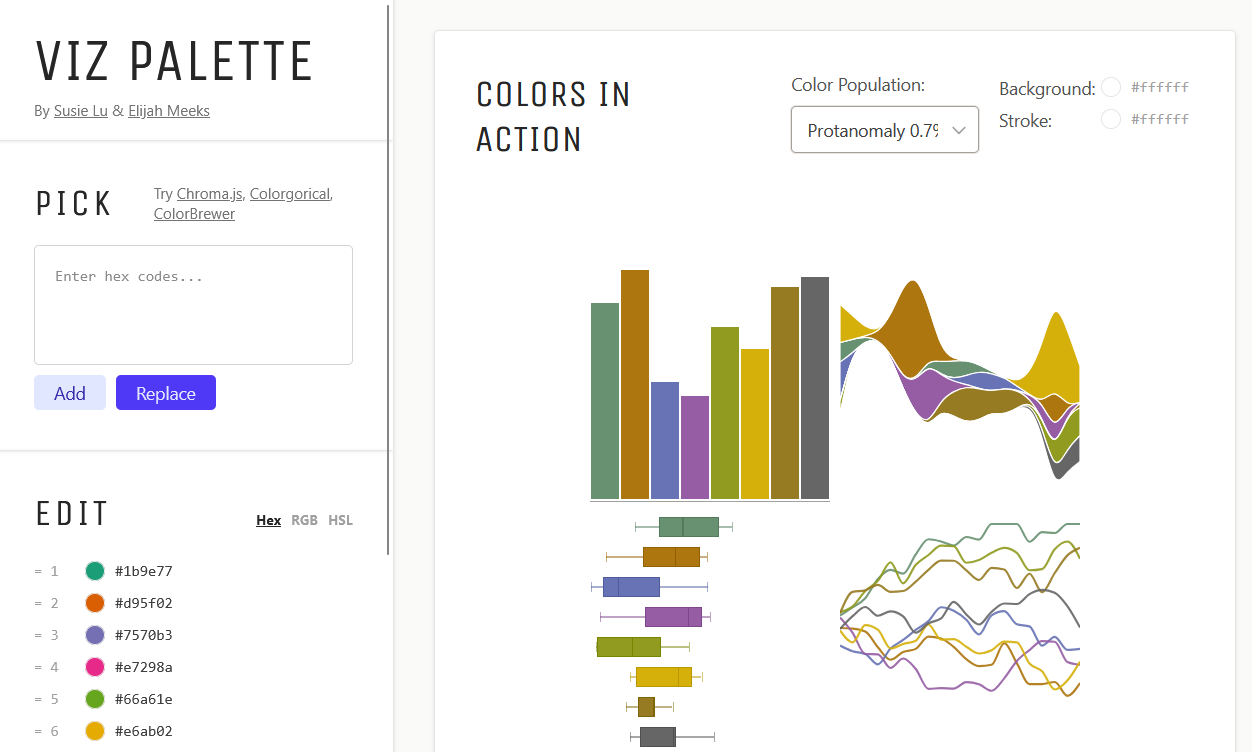
Future iterations of the tool may add simulations of how the palettes might appear to colour blind users when applied in charts. However, there are many excellent websites out there that already do this. One of my favourite is Viz Palette. Therefore, when a user creates or selects a palette, they can click through to view the report generated by Viz Palette. For example, the Viz Palette report for the Dark2 palette from ColorBrewer is linked to from the Explore tab.
Using palettes in other tools
The generated palette is also presented as both a Python or JavaScript array, and as an R vector. For both, a user can click to copy the code and paste it into their script.
You can explore the app at nrennie.rbind.io/palette-generator/random, and view the source code on GitHub.