| Statistic | Value |
|---|---|
| Mean(x) | 54.26 |
| Mean(y) | 47.83 |
| Standard deviation(x) | 16.77 |
| Standard deviation(y) | 26.94 |
| Correlation(x, y) | -0.06 |
Engaging and effective data visualisations
24 March 2026
Who am I?
Data visualisation specialist, mainly working with R, Python, and D3.js.
Background in statistics, operational research, and data science consultancy.
Co-author of Royal Statistical Society’s Best Practices for Data Visualisation guidance.

How did I get here?
- 2014-2017: Undergraduate in maths
- 2017-2021: STOR-i
- Thesis: Detecting demand outliers in transport systems
- Chapter on Analysing and visualising bike sharing demand with outliers
- 2021-2023: Data science consultancy
- 2023-2025: Back to academia as a Lecturer in Health Data Science
- 2025-Present: Data visualisation specialist at ONS

How did I get into data visualisation?
- 2021: Started making and posting data visualisation on social media; writing blog posts; delivering more talks
- 2022: Making dashboards is part of my job
- 2023-2024: Co-authored the Royal Statistical Society’s Best Practices for Data Visualisation guidance
- 2024-2025: Book contract to write about visualisation in R
- 2025-Present: Data visualisation is my full time job

Why visualise data?
Data visualisation has two main purposes:
- Exploratory: informs data analysis
- Explanatory: communicating insights and results

What does this data look like?

Summary statistics aren’t enough!

Communicating insights with data visualisation
John Snow collected data on cholera deaths and created a visualisation where the number of deaths was represented by the height of a bar at the corresponding address in London.
This visualisation showed that the deaths clustered around Broad Street, which helped illustrate the cause of the cholera transmission, the Broad Street water pump.
Snow. 1854.


Visual vocabulary

It’s not just about the type of data…


Why do pie charts have a bad reputation?


Why do 3D charts have a bad reputation?
What value does the bar represent?

It’s not that 3D charts are always bad!


Avoid spaghetti plots!

Effectively plotting multiple values
Alternatives to spaghetti:
- Show a smaller number of lines (e.g. compare a few countries to average)
- Use colour only to highlight lines
- Use facets (AKA small multiples)

Small mutliples allow clearer comparison


Plotting variables on different scales


Effectively plotting on different scales
Some alternatives:
- Separate plots, each with their own axis, and place the plots side-by-side.
- Plot different variables on the x- and y- axis.
- Rescale the variables, rather than the axis.

Comparing distributions

Small multiples improve clarity

Arrange for comparison

Longer labels are best on the y-axis, horizontally.


How do the two bars compare?


Axes don’t always have to start at zero


Order categories…


…in a sensible way

Source: Georgia Department of Public Health
Order categories appropriately
Default:

Magnitude ordered:

Naturally ordered:

Activity 1
In groups, discuss the following chart. What is good and bad about it?
Source: commonslibrary.parliament.uk/general-election-2019-how-many-women-were-elected available under Open Parliament Licence.


Types of colour palette
Different types of colour palettes…
… for different types of data.

Is this a good choice of colours?

Consider accessibility

Do symbols or patterns help?


Use intuitive colours where appropriate
Example: red and blue used to show hot and cold

Tip: never switch to the opposite meaning!
Are intuitive colours always best?
Example: pink and blue used to show women and men

Tip: think about colour associations.
Don’t reinforce negative stereotypes
“7 out of 8 female readers might not be particularly appreciative of [being represented by pink].”
Source: visualisingdata.com

Choosing good colours

Don’t rely on colour
- Use direct labels over a legend if you can
- Use shapes and patterns and/or small multiples
- If you have to use a legend, it should follow the order of the data

Consider associations of fonts
Font family:
- choose a clear font
- with distinguishable features
- pick something familiar
- consider associations

Change in temporary accommodation over time

The number of households, and households with children, in temporary accommodation in Scotland are at record highs
Complex charts need explanation

Activity 2
Here’s a chart. You have 10 minutes to improve it as much as you can.


Default chart

Change the chart type

Improve colours

Improve text


_-_Climate_Lab_Book_(Ed_Hawkins).svg)
Improve theme
library(ggtext)
g <- g +
  theme_minimal(base_size = 15) +
  theme(
    legend.position = "top",
    # Clean up y axis
    axis.text.y = element_blank(),
    axis.ticks.y = element_blank(),
    panel.grid.major.y = element_blank(),
    # Wrap, embolden title
    plot.title = element_textbox_simple(
      face = "bold"
    ),
    strip.text = element_text(
      face = "bold",
      hjust = 0
    )
  )
g
Before and after


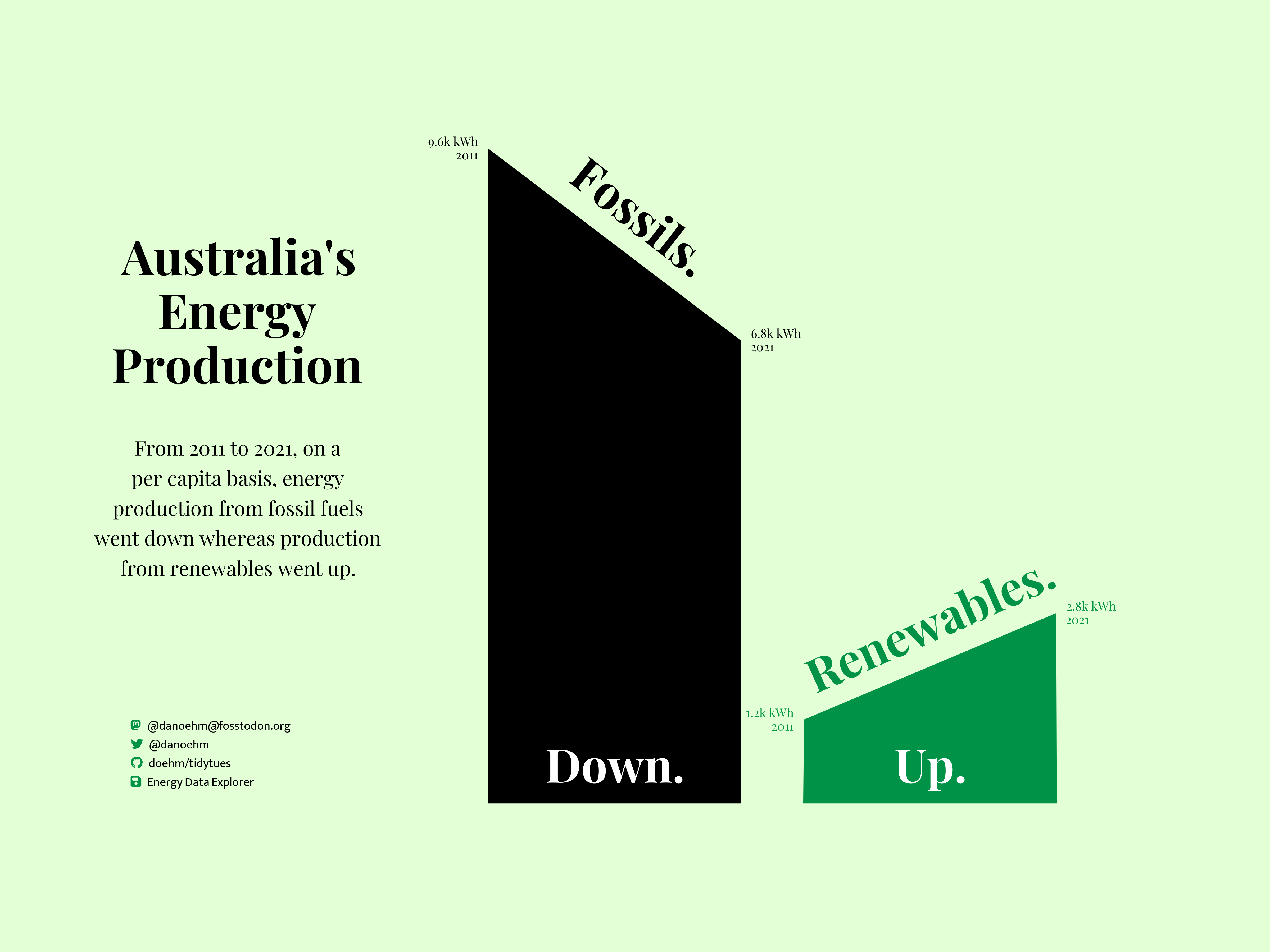
Good charts don’t have to be boring!
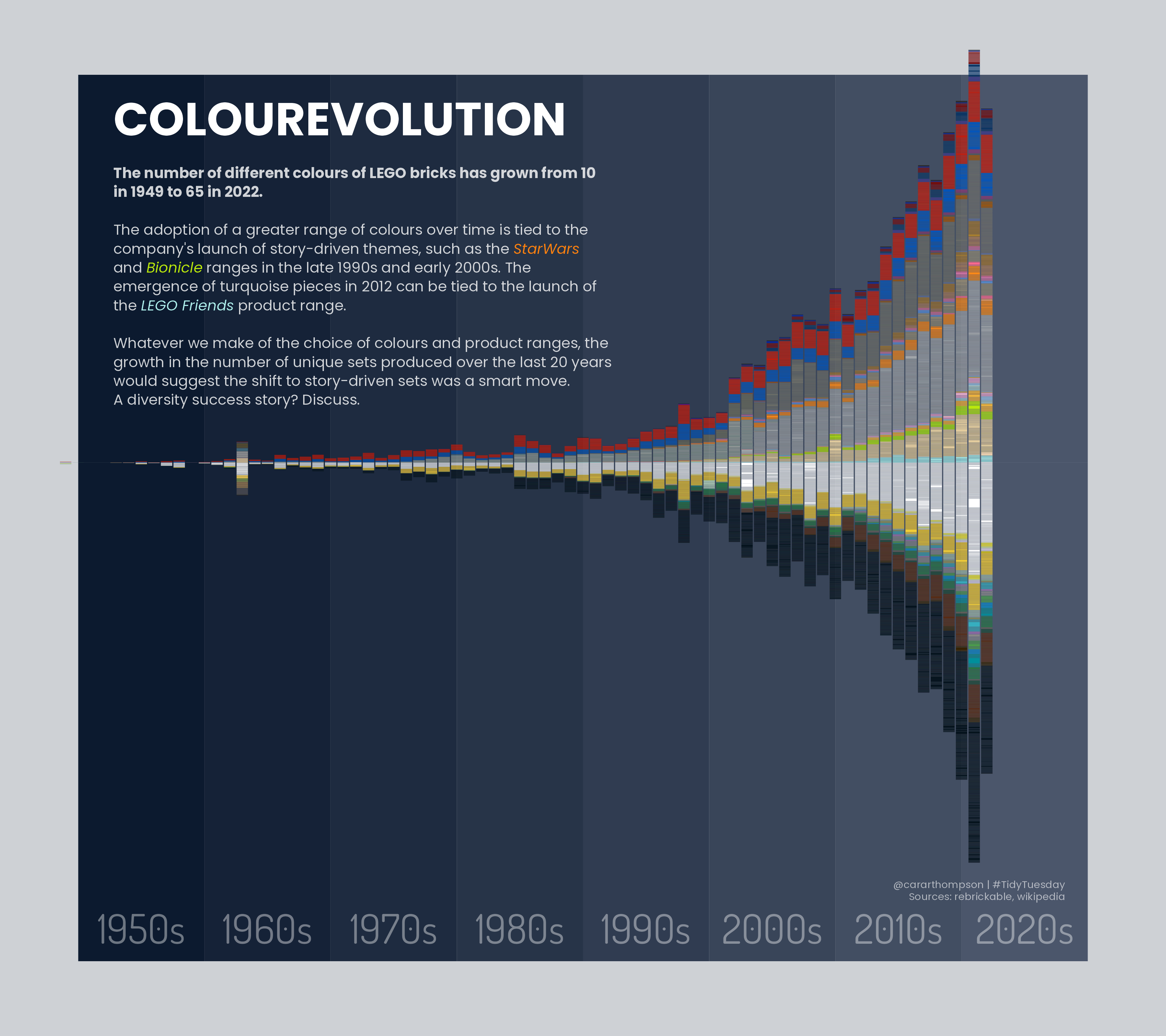
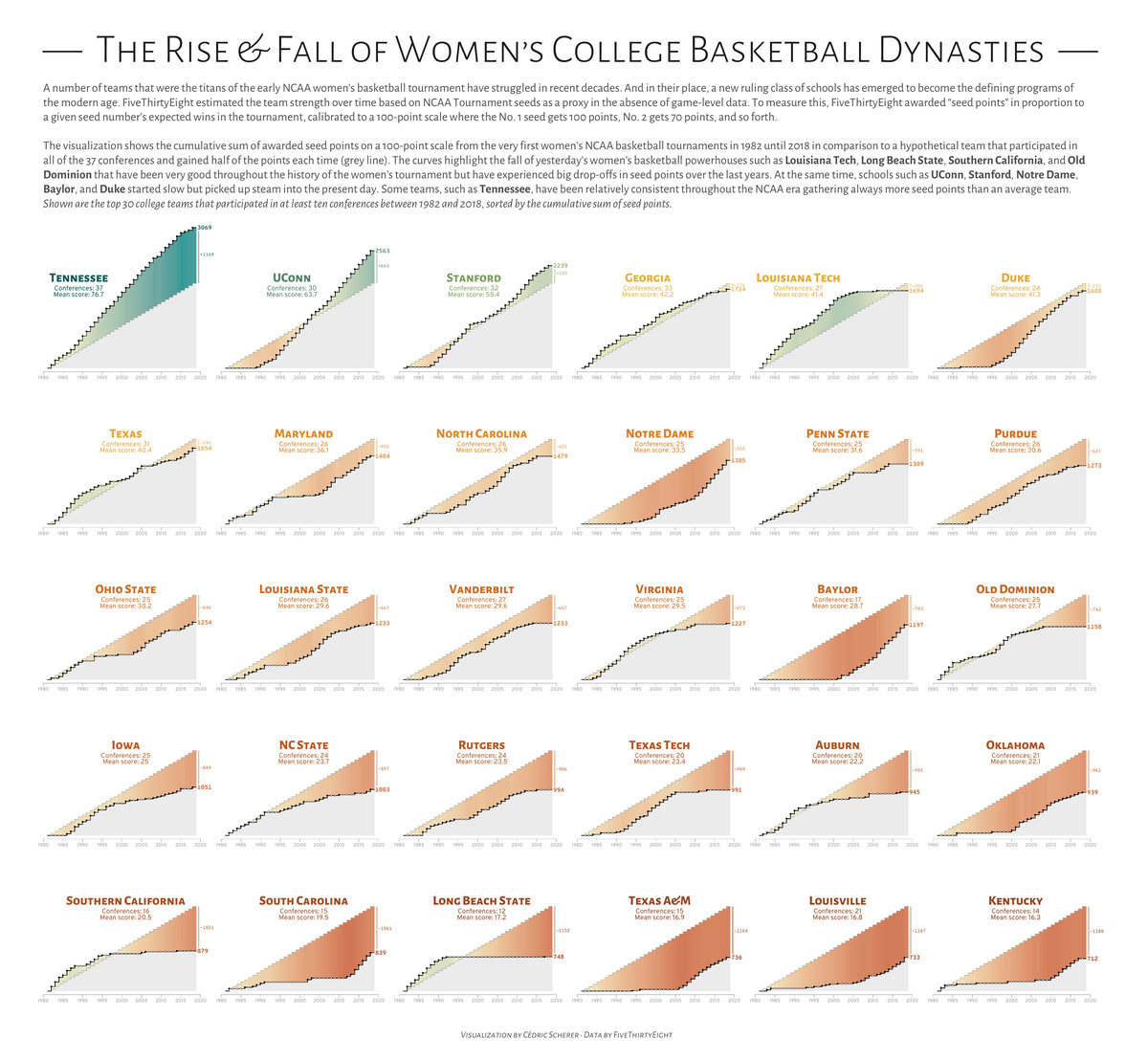
Good charts don’t have to be boring!

Resources
ONS Data Visualisation Guidance: service-manual.ons.gov.uk/data-visualisation
RSS Best Practices for Data Visualisation Guidance: rss.org.uk/datavisguide
Data Visualisation Resources: nrennie.rbind.io/data-viz-resources
The Art of Data Visualization with ggplot2: nrennie.rbind.io/art-of-viz
